
Settings
Use Settings > Node for peer connections and transfers, Settings > General for the web UI and sign-in, and Settings > Apps for Arr connections. The tables below list defaults and environment overrides.
Settings > Node
Section titled “Settings > Node”These settings control your node’s name, peer connections and download storage (ADR 0019).
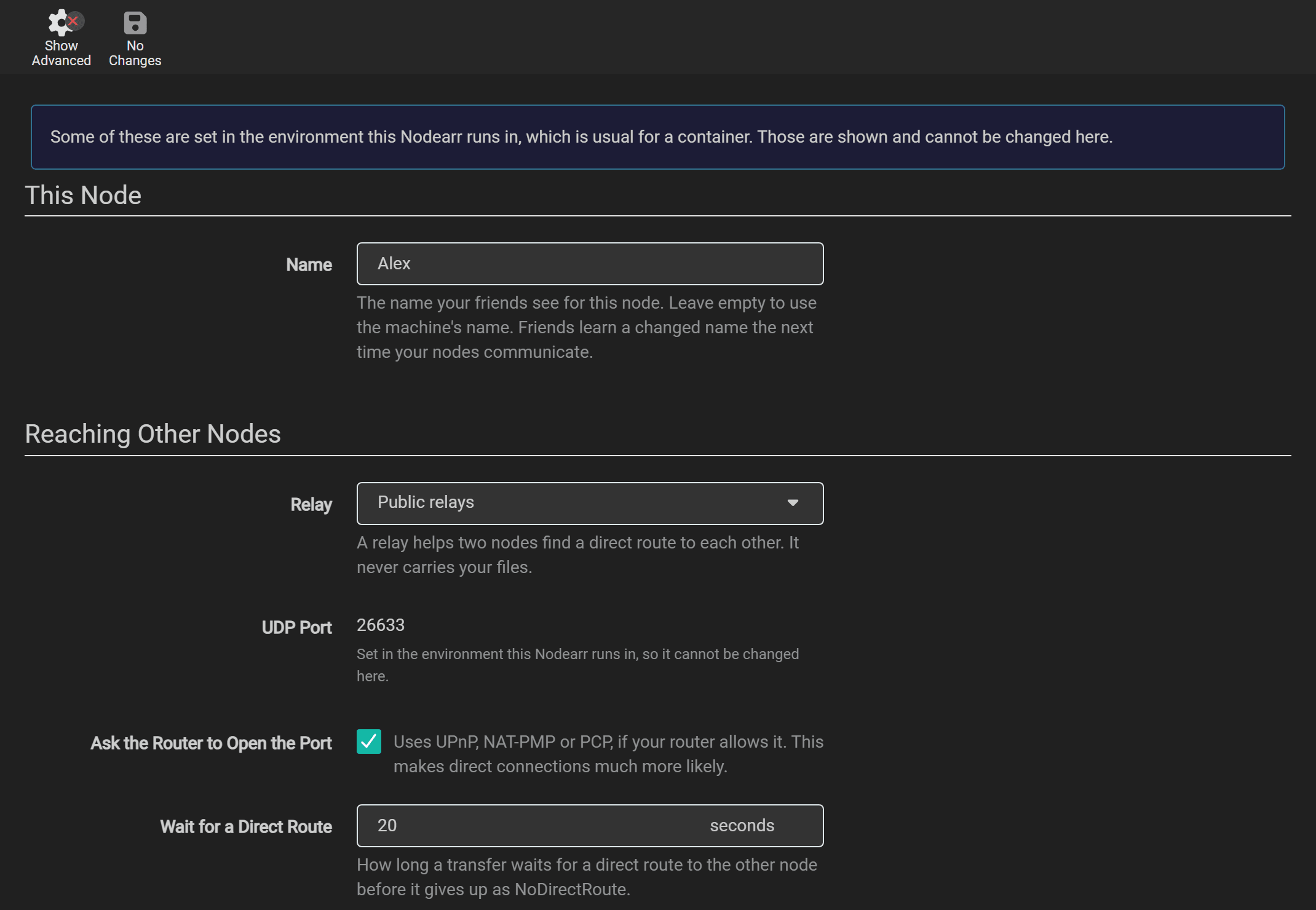
| Setting | Default | What it does | Takes effect | Environment variable |
|---|---|---|---|---|
| Name | The machine’s name | The name shown to friends. They receive a changed name the next time the nodes communicate. | Immediately in this UI | Nodearr__Transport__NodeName |
| Relay | Public relays | Public relays: n0’s, which help two nodes find each other and never carry catalogs, posters or downloaded media. A relay of your own: one you run, entered in Relay Address, with the same direct-only rule. No relay: nodes behind home routers then usually cannot find each other. Use it only when both have addresses the other can reach. | The transport restarts | Nodearr__Transport__Relay: n0, custom or disabled |
| Relay Address | The address of your own relay. Nodearr asks it before saving a new one, and refuses an address where no relay answers. | The transport restarts | Nodearr__Transport__RelayUrl |
|
| UDP Port | 0 | The port friends’ nodes connect to. 0 lets the system pick one each time. Set one when you need to forward or allow it. | The transport restarts | Nodearr__Transport__Port |
| Ask the Router to Open the Port | On | Asks the router to open the UDP port (UPnP, NAT-PMP or PCP). | The transport restarts | Nodearr__Transport__DisablePortMapping=true turns it off |
| Wait for a Direct Route | 20 seconds | How long a transfer waits for a direct connection before it fails with NoDirectRoute. |
The transport restarts | Nodearr__Transport__DirectTimeoutSeconds |
| Download Folder | downloads in the data folder |
Where transfers are written: incomplete while they arrive, complete once checked. Your Arr apps must see this same folder. It cannot be moved while transfers are under way. |
At once | Nodearr__Transport__DownloadFolder |
| Upload Limit | None | The most each upload to a friend may send, in kilobytes per second. 0 is no limit. | The transport restarts | Nodearr__Transport__UploadLimitKbps |
| Total Upload Limit | None | The most all uploads to friends may send together, in kilobytes per second, shared evenly between the uploads running at once. Each upload still keeps to Upload Limit. 0 is no limit. | The transport restarts | Nodearr__Transport__TotalUploadLimitKbps |
| Download Limit | None | The most each download from a friend may take, in kilobytes per second. 0 is no limit. | The transport restarts | Nodearr__Transport__DownloadLimitKbps |
| Most Downloads at Once | 3 | How many downloads from friends run at the same time, up to 100. Grabs beyond it wait their turn, shown as Queued on Activity > Transfers and in your Arr app’s queue. 0 is no limit. Lowering it lets running downloads finish. | At once | Nodearr__Transport__MaxDownloads |
| Most Uploads at Once | 3 | How many files you send to friends at the same time, up to 100. Further requests wait their turn instead of being refused, and the friend’s Activity shows its place in line. A friend on a Nodearr version from before this setting waits its turn too, without being told where it stands. 0 is no limit. | The transport restarts | Nodearr__Transport__MaxUploads |
| Catalog Sync Interval | 15 minutes | Minutes between scheduled catalog refreshes: 10 to 120. Set 0 to disable scheduled refreshes. Pairing, sends, removal notices and Sync Peer Catalogs can still trigger a refresh. | At once |
When the transport restarts, connections drop for a moment and transfers carry on once it is back. If the new settings stop it starting, the page says so; change them back.
The page also shows your node ID: the public key derived from node.key. Changing the node name does not change this ID. Keep the key when moving or restoring a node.
Settings > General
Section titled “Settings > General”These settings control the web server, sign-in, logging and scheduled backups.
| Setting | Default | Environment variable |
|---|---|---|
| Bind Address | *, every address |
Nodearr__Server__BindAddress |
| Port Number | 6633 | Nodearr__Server__Port |
| URL Base | Nodearr__Server__UrlBase |
|
| Instance Name | Nodearr | Nodearr__App__InstanceName |
| Application URL | ||
| Enable SSL, SSL Port, SSL Cert Path, SSL Key Path, SSL Cert Password | Off, 9898 | Nodearr__Server__EnableSsl, Nodearr__Server__SslPort, Nodearr__Server__SslCertPath, Nodearr__Server__SslKeyPath, Nodearr__Server__SslCertPassword |
| Open browser on start | Yes | Nodearr__App__LaunchBrowser |
A new port, bind address or URL base takes effect after a restart. If you change the port or the URL base, change Nodearr Server for each app under Settings > Apps too, so each one is told where to reach Nodearr now.
Security
Section titled “Security”| Setting | Default | Environment variable |
|---|---|---|
| Authentication | Forms (Login Page), set up on the first start | Nodearr__Auth__Method: Forms, External or None |
| Authentication Required | Enabled | Nodearr__Auth__Required: Enabled, DisabledForLocalAddresses or DisabledForLocalhost |
| Username, Password | ||
| API Key | Made on the first start | Nodearr__Auth__ApiKey |
| Certificate Validation | Enabled | |
| Trusted Networks | Empty | Nodearr__Server__TrustedNetworks |
- Forms (Login Page) is a sign-in page and the choice offered in the UI. The inherited
Basicconfiguration value is migrated toForms. The configuration valuesExternalandNonedisable Nodearr’s sign-in page and can be set inconfig.xmlor the environment. UseExternalonly when a reverse proxy or another service authenticates requests before they reach Nodearr. - Disabled for Local Addresses lets anyone on your home network in without signing in, and Disabled for Localhost only someone on the same machine. Your friends’ nodes never use the web UI or the API: they talk to the transport, which only trusts nodes you paired with.
- In Docker on the default bridge network, every connection to the published port looks as if it came from the bridge, a local address. So Disabled for Local Addresses lets in anything that can reach that port, from outside your network too if the port is open to it.
- Trusted Networks lists the reverse proxies whose
X-Forwarded-Forheader Nodearr believes, so that it sees the address of the person behind the proxy. Nodearr always believes a proxy on the same machine. Leave it empty unless a reverse proxy runs on another address, such as another container: then add that address, or its network in CIDR notation, such as172.17.0.1or10.0.0.0/8. Add only a proxy that sets the header itself, since anything on a trusted network can claim to be any address. Takes effect after a restart. - The API Key is what your Arr apps and Prowlarr use to reach Nodearr. Resetting it gives the new one to every app set to Full Sync. Change it by hand in any other.
Logging
Section titled “Logging”| Setting | Default | Environment variable |
|---|---|---|
| Log Level | Debug | Nodearr__Log__Level: Info, Debug or Trace |
| Log Size Limit | 1 MB, at most 10 | Nodearr__Log__SizeLimit |
Additional logging settings are available only through environment variables: Nodearr__Log__Rotate (number of retained log files, 50 by default), Nodearr__Log__ConsoleLevel, Nodearr__Log__ConsoleFormat (Standard or Clef), Nodearr__Log__SyslogServer, Nodearr__Log__SyslogPort, Nodearr__Log__SyslogLevel, Nodearr__Log__DbEnabled and Nodearr__Log__Sql.
Backups
Section titled “Backups”| Setting | Default |
|---|---|
| Folder | Backups in the data folder |
| Interval | 7 days |
| Retention | 28 days |
See Backups.
Settings > Apps
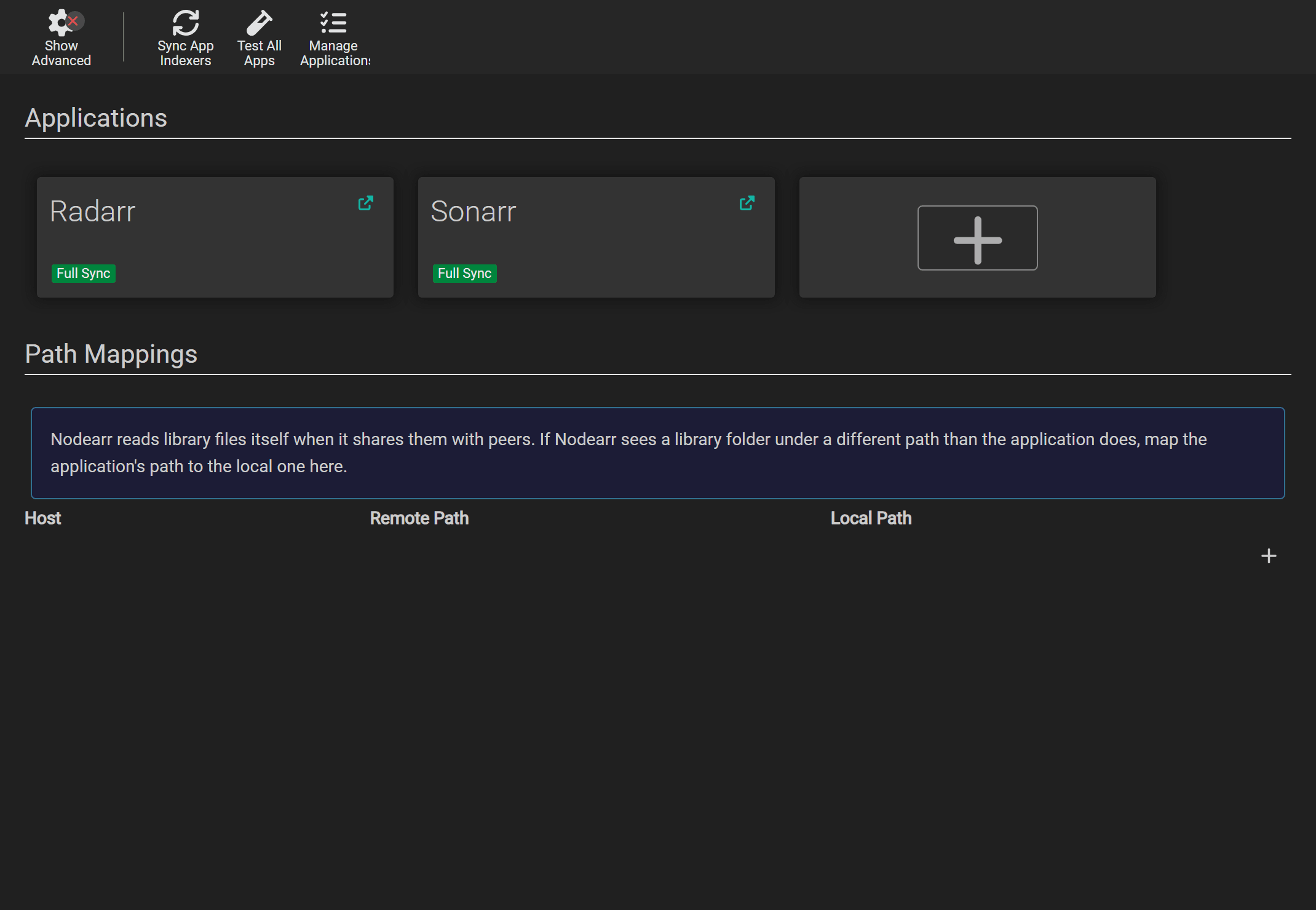
Section titled “Settings > Apps”Add and edit connections to your Arr apps and Prowlarr here. Path Mappings translates library paths reported by an app into paths Nodearr can read. See Connecting your apps for the fields, defaults and folder setup.
Set by the environment
Section titled “Set by the environment”Environment variables override saved settings. Use the complete variable names in the tables, such as Nodearr__Server__Port. A setting controlled by the environment is shown as fixed in the UI; change it in the environment and restart Nodearr instead.
The Docker image supplies these defaults to match its ports and mounts:
| In the image | Value |
|---|---|
Nodearr__Server__Port |
6633 |
Nodearr__Server__BindAddress |
* |
Nodearr__Transport__Port |
6633 |
Nodearr__Transport__DownloadFolder |
/downloads |
Set Nodearr__Transport__BinaryPath to the transport executable’s path if nodearr-transport is not beside the Nodearr executable.
In Docker, PUID and PGID set the user and group Nodearr runs as, and TZ sets the time zone. Match the user and group to the permissions on your library and download folders.
Postgres
Section titled “Postgres”Nodearr inherits PostgreSQL support from Sonarr, but it has only been tested with SQLite, the default. The PostgreSQL variables are Nodearr__Postgres__Host, Nodearr__Postgres__Port, Nodearr__Postgres__User, Nodearr__Postgres__Password, Nodearr__Postgres__MainDb and Nodearr__Postgres__LogDb.
If you use PostgreSQL, back up and restore that database separately. Nodearr’s backup ZIP does not include it.
On the command line
Section titled “On the command line”| Option | What it does |
|---|---|
-data=<folder> |
Where config.xml, nodearr.db, node.key, the logs and the backups are kept. The default is C:\ProgramData\Nodearr on Windows, ~/.config/Nodearr on Linux ($XDG_CONFIG_HOME/Nodearr when set), and ~/Library/Application Support/Nodearr on macOS. |
-nobrowser |
Does not open a browser on start. |
In config.xml
Section titled “In config.xml”config.xml in the data folder holds the web listener, authentication mode, API key and logging settings. Edit it only while Nodearr is stopped. The username and password, Application URL, Certificate Validation, backup settings, node settings and Arr connections are kept in the database.